Labels
Overview
Section titled “Overview”Labels help you organize and categorize entities across the product. You can create custom labels and assign one or more labels to supported entities for easier identification, filtering, and management. You can tag any of your data entities with labels for priority, category, or anything according to you.
Supported Entities
Section titled “Supported Entities”Labels are available for the following entities:
- SQL Transforms
- Reports
- Models
- Dashboards
- Python Notebooks
- Pipelines
Creating a Label
Section titled “Creating a Label”Follow these steps to create a new label:
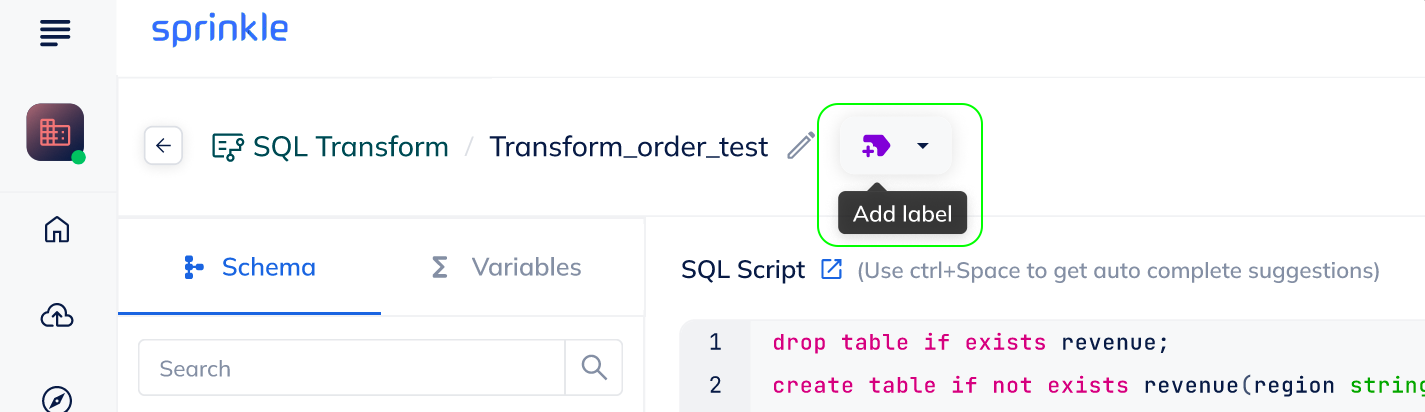
- Navigate to any entity (for example, SQL Transform).
- Open an existing SQL Transform or create a new one.
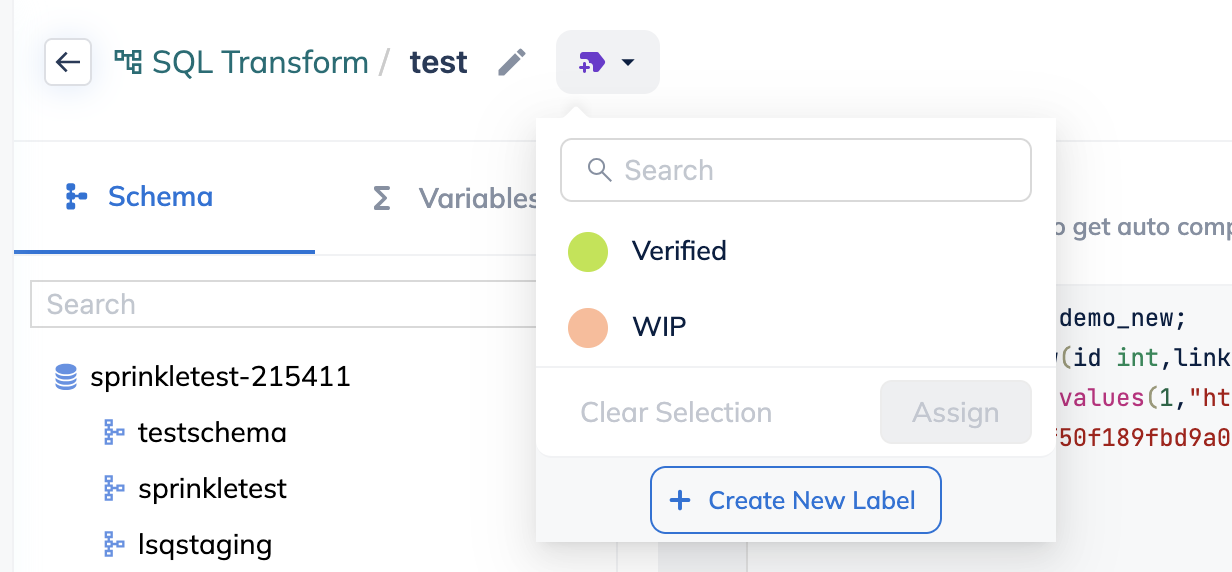
- Next to the entity name, click Add Label.
- Click Create New Label.
- Enter a Label Name.
- Select a Color for the label.
- Click Create to save the label.
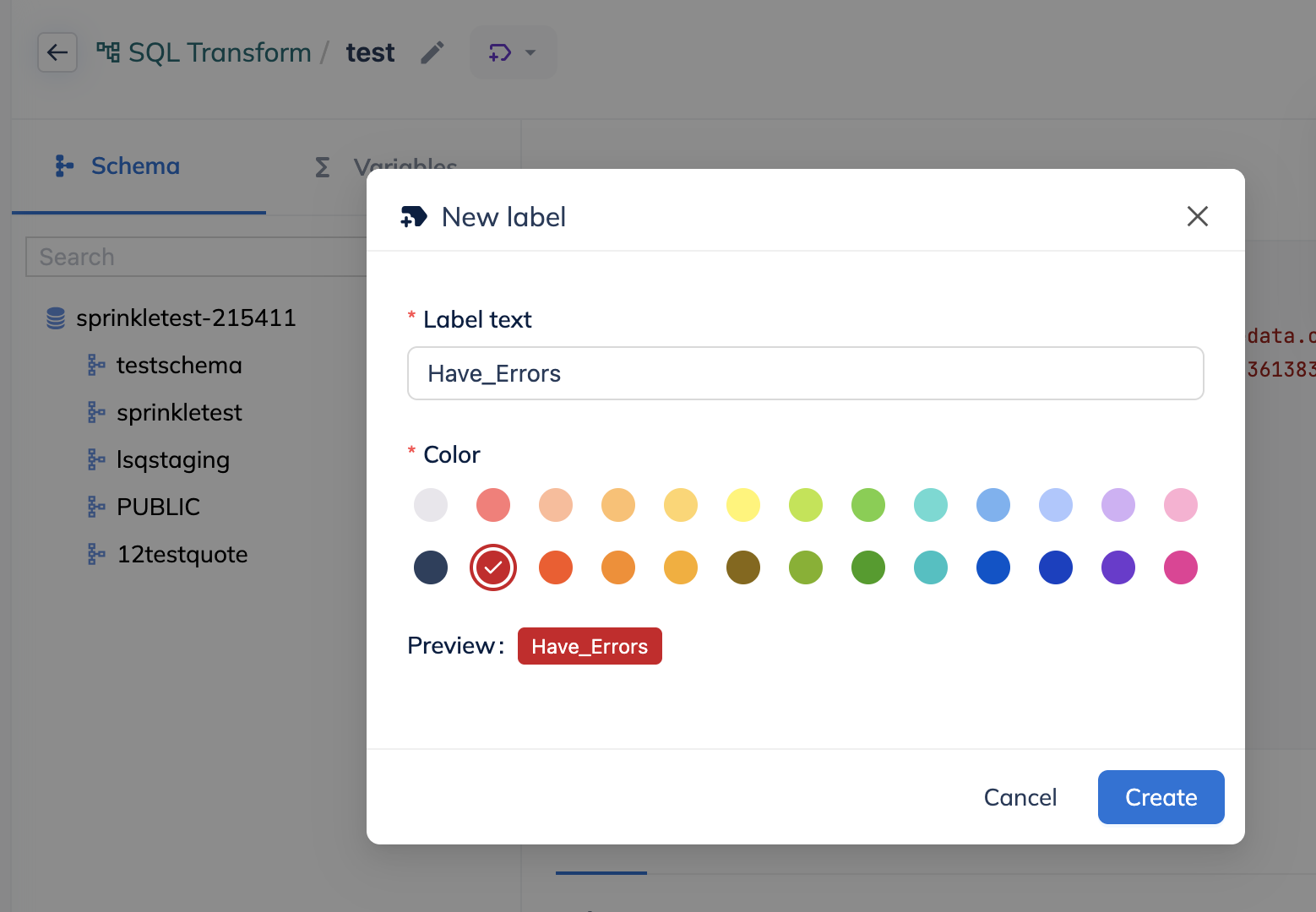
The label is now created and available for use.
Applying a Label to an Entity
Section titled “Applying a Label to an Entity”Once a label is created, you can assign it to one or more entities:
- Open the entity to which you want to apply a label.
- Click Add Label next to the entity name.
- Select one or more labels from the list.
- Click Assign.
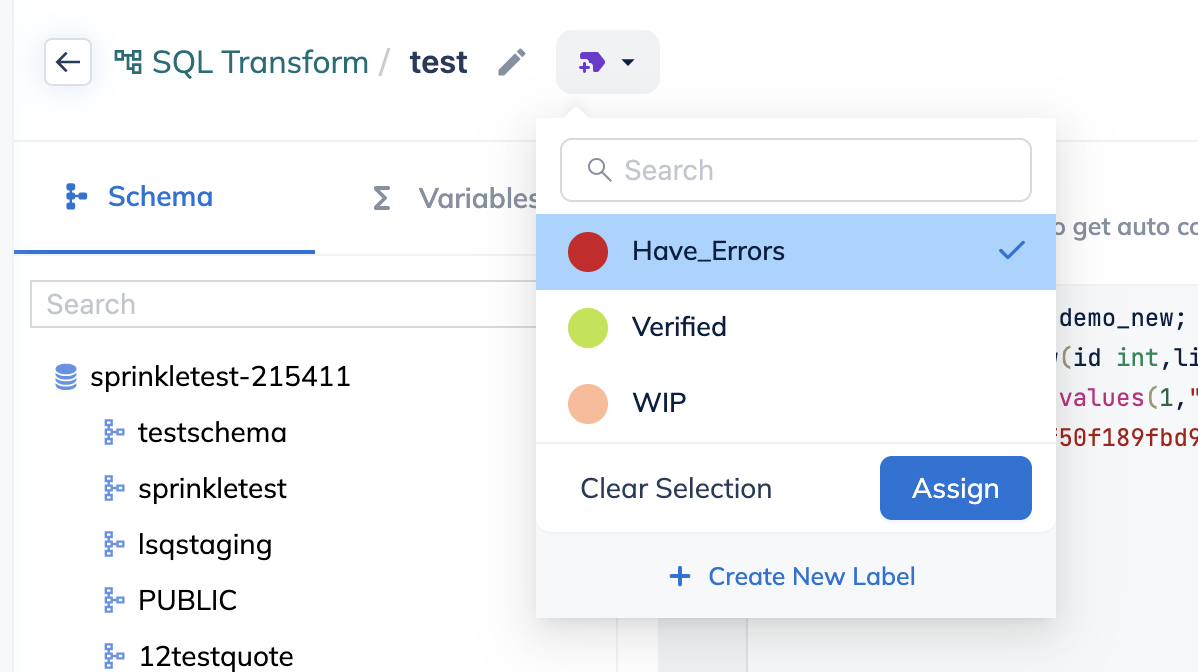
The selected label(s) are applied successfully to the entity.
- An entity can have multiple labels.
- The same label can be reused across different entities.
- Labels created in one entity type are available across all supported entities.